


ARtie Lab: AR Drawing & Sketch
4.5559.00 Reviews
App Specs
- Version
- 1.0.4
- Updated On
- License
- Free
- Downloads
- 1,000,000+
- Developer
- Tenet Apps FZCO
- Categories
- Art & Design
- Platform
- Android
Screenshots
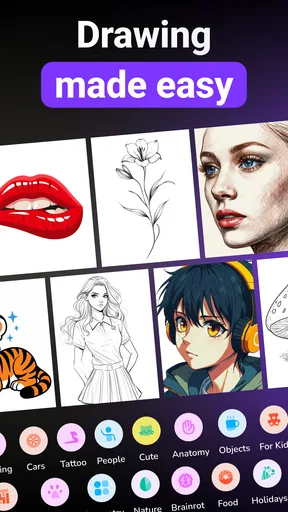
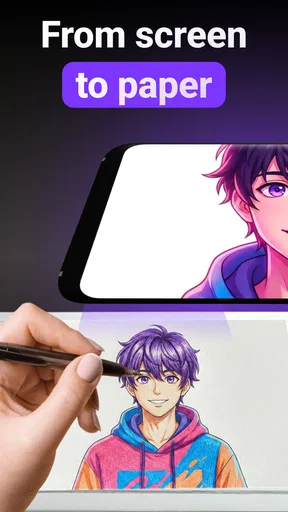

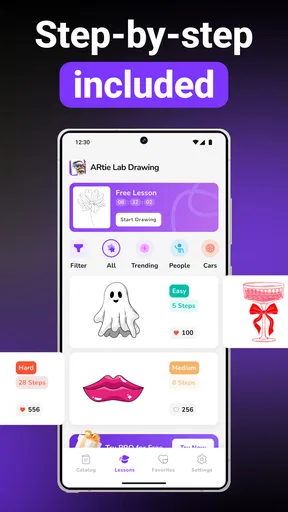
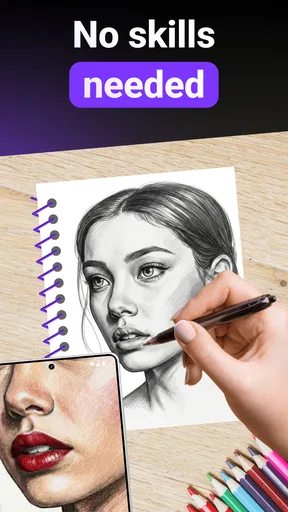
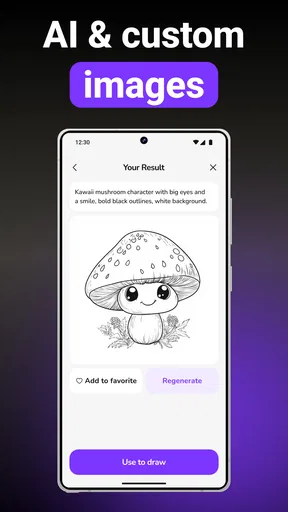
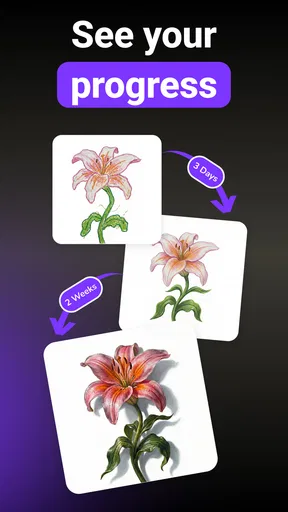
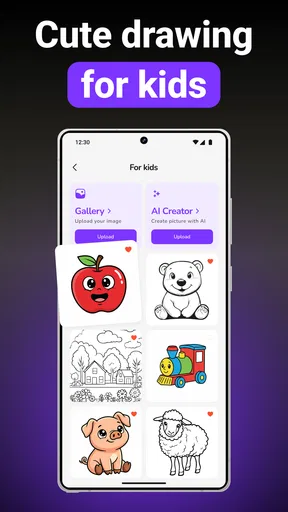
 Analysis by AppCompare
When I want to sketch something recognizable but don’t want to spend the first half hour wrestling with proportions, I look for a way to get a simple outline onto paper and then make it my own. ARtie Lab: AR Drawing & Sketch is built for that starting point: it helps you trace a picture and practice drawing, rather than asking you to begin with a blank page and a polished idea. I see its value less as a shortcut to finished art and more as a practical bridge between looking at an image and learning how to reproduce it by hand.
From choosing a picture to making the first marks
I like to decide what the sketch should teach me before opening a tracing session: steady curves, better spacing, or simply getting an outline onto paper. That small choice keeps the exercise from becoming a race to copy every detail and gives me a reason to pause and look closely. With a goal in mind, choosing a suitable picture becomes the next useful decision.
A useful starting point for hesitant sketchers
The blank page can make even a casual drawing session feel like a test. A tracing-based approach lowers that barrier: you have a visual reference to follow, so your attention can go to the movement of your hand and the shape in front of you. That makes the app a natural fit for beginners, younger users, or anyone who wants a guided way to try drawing without first learning formal construction techniques.
The important distinction is that tracing is a starting exercise, not the same thing as understanding a subject. I’d use it to get comfortable following contours, noticing where a line changes direction, and building patience with a pencil or pen. If you simply follow every edge without looking at what the shapes mean, you may end up with a recognizable copy but little sense of how to draw the subject again on your own.
Set up the session around the paper, not just the image
A sensible first step is to decide what you want to draw and prepare the physical space before you begin. Put the paper where you can work comfortably, choose a tool that suits the level of detail, and make sure you can see the reference while keeping your drawing hand relaxed. This small bit of preparation matters with any phone-guided tracing workflow: if you keep stopping to shift the page or adjust your grip, the line work becomes less steady.
I’d also keep the first attempt deliberately simple. A clear subject with a few large shapes is more forgiving than a picture packed with tiny details. Begin with the outer contour, then add the most recognizable interior marks. That order gives you a chance to correct the overall placement before investing time in small features. It’s a practical way to use a tracing aid as a drawing lesson rather than merely a copying tool.
Follow the outline, but make choices as you go
Once the reference is ready, the central task is to translate what you see into marks on paper. I find it helpful to work in short passes: trace a major shape, pause to check its position, then continue to the next. If you try to race around the whole image, small alignment errors can accumulate and make the finished sketch feel cramped or uneven.
Worth Reading Before You Choose

Flipboard Shows What News Apps Must Do Beyond the Feed

Switching to Android Auto Means Rethinking Your Driving Routine

Google Calendar Makes a Crowded Week Easier to Manage

Ludo King Makes the Most of the Minutes Between Plans

Baby Panda World Brings Quick Play to Modern Phones, but Its Game Library Feels Busy

ESPN’s Live Game View Makes Following Close Games Easier
There’s also a useful trade-off between accuracy and confidence. A beginner may want to stay close to the reference, while someone with more practice can simplify a complicated edge or leave out details that don’t help the subject read. The app’s tracing premise supports either approach, but the learning comes from deciding what to follow and what to interpret. For a child drawing at the kitchen table, that might mean concentrating on the big shape and enjoying the result; for an adult practicing, it can mean deliberately lifting the pencil and checking how each line relates to the whole.
Turn tracing into practice rather than a one-off copy
One of the more useful ways to get lasting value from this kind of app is to repeat a subject with a different goal each time. On the first pass, focus on placing the main outline. On another, pay attention to curves or corners. Later, put the reference aside and try drawing the same subject from memory. That final attempt is the real test: it shows whether the exercise helped you notice the form, rather than only guiding your hand moment by moment.
I’d keep the first version of a sketch instead of immediately correcting every uneven line. Comparing an early attempt with a later one makes progress easier to see and keeps practice from turning into an endless polishing session. This is a small habit, but it changes the role of tracing from “make this picture look right” to “learn what I missed the first time.”
How it fits into an everyday creative routine
Once a drawing has a clear purpose, I find it easier to fit the practice into an ordinary day without turning it into a project. A short session can work as a warm-up before freehand doodling, or as a shared activity where each person adds a different finishing touch. The next step is thinking through how the phone’s guidance and the paper drawing can work together.
A practical use case at home
Imagine having a quiet stretch after dinner and wanting to draw with a child who is interested but unsure where to start. Instead of handing over a blank sheet and asking for an original picture, you can use a guided reference as a warm-up. The child can concentrate on following a few visible shapes, then add their own colors or details afterward. The activity has a clear beginning and an achievable outcome, without requiring a formal art lesson or a collection of specialist materials.
The same approach works for an adult who wants a low-pressure break from a screen-heavy day. I’d choose one subject, set a modest goal, and treat the finished page as practice rather than something that needs to be shared. That keeps expectations realistic. A tracing app can make it easier to begin, but it cannot decide what you find interesting or replace the satisfaction of making your own choices.
The handoff from phone guidance to paper
The most important handoff is from the digital reference to the physical drawing surface. You are not simply tapping through an image; you need to coordinate what you see with the position and movement of your hand. That means the setup can affect the experience as much as the app itself. A wobbly page, awkward reach, or poor viewing angle can interrupt the process, especially when you are trying to follow a longer contour.
For a smoother session, I’d arrange the paper and device before starting and avoid choosing a drawing that demands constant tiny adjustments. If you are helping a younger artist, let them control the pencil and make decisions instead of guiding every stroke. That preserves the useful part of the exercise: they learn to observe and move their hand, even when the result is imperfect. The app can provide a prompt, but the actual drawing still depends on the person using it.
What the finished sketch does—and doesn’t—tell you
A successful tracing can feel satisfying because the subject becomes recognizable quickly. That is a real strength for people who need an early win to stay interested. But a neat outline should not be mistaken for broad drawing skill. Freehand drawing asks you to judge scale, spacing, and structure without a line to follow, so a traced result is best understood as one stage in a learning routine.
To make the outcome more personal, I’d add something that the reference does not dictate: a different expression, a changed background, or a few invented details. Even a small alteration gives you a reason to look closely rather than copy mechanically. If your aim is to produce an exact illustration for a commission or a polished digital artwork, a tracing exercise alone is unlikely to be the right workflow. If your aim is to get a pencil moving and build confidence, it can be a much more approachable first step.
Where it sits among drawing alternatives
Compared with a blank-canvas drawing app, a tracing-focused tool is less open-ended but more inviting when you don’t know what to make. A digital sketch app gives you room to experiment with layers, brushes, and edits, but that freedom can be distracting if your immediate goal is to practice basic lines on paper. A printed reference offers a straightforward alternative, yet it does not provide the same phone-based guided drawing approach. Each option serves a different mood: open exploration, conventional reference study, or a structured nudge toward a sketch.
I would choose this app when the problem is getting started, not when I need advanced control over a finished digital image. People who already draw confidently may find the tracing premise restrictive unless they use it as a warm-up or a way to study a particular outline. Likewise, anyone who wants lessons in perspective, anatomy, shading, or composition should pair this sort of practice with more direct instruction. Following a contour can train attention, but it does not automatically explain why a form looks convincing.
Who should try it, and who may prefer something else
ARtie Lab is an Art & Design app from Tenet Apps FZCO. It is free to start, rated for Everyone, and has an average rating of 4.5 from around 81,000 ratings, with over one million installs. The current version is 1.0.4, and the app is intended for Android 7.0 and later. Optional in-app purchases range from $9.99 to $29.99 per item, so I’d check the purchase options before treating the free entry point as the whole experience.
I’d recommend giving it a try if you’re new to drawing, want a guided activity for a family sketch session, or need a quick prompt to get past the blank-page problem. The scale of its audience suggests that the basic idea appeals to plenty of users, though popularity alone doesn’t guarantee that its workflow will suit your needs. If you prefer building a picture from imagination, want to learn drawing fundamentals in a structured course, or need powerful digital illustration tools, a different kind of art app or a traditional lesson will likely serve you better.
The friction to keep in mind
Tracing can become repetitive if every session follows the same pattern: select a picture, follow its edges, and stop when the outline is complete. The way around that is to set a learning target before you begin and make one deliberate choice of your own during the drawing. Try simplifying a detail, changing the scale of one part, or continuing from the outline into a small freehand addition. Those choices make the process more active and reveal whether the app is helping you develop an eye for shape.
There is also a difference between quick accessibility and deep instruction. The guided approach may help you produce a drawing sooner, but speed is not the same as learning. If you find yourself relying on the reference for every mark, take a break from tracing and redraw only the broad forms from memory. If that feels difficult, it is useful information, not a failure: it tells you which shapes deserve more attention next time.
My recommendation after weighing the workflow
I see ARtie Lab as a friendly entry point for people who want to draw but need help getting started. Its strongest use is a short, focused practice session in which a reference gives your hand somewhere to go, then your own decisions carry the picture beyond the outline. Prepare the workspace, choose a manageable subject, work from large forms toward smaller ones, and finish by adding or recalling something without guidance. That routine makes the experience more rewarding than simply chasing a perfect copy.
It won’t replace a drawing course or a flexible digital art studio, and experienced artists may outgrow its central idea quickly. But for a hesitant beginner or a casual sketcher, lowering the barrier to the first mark is meaningful. I’d keep expectations modest, use tracing as one exercise among others, and judge the app by whether it helps you return to drawing with more confidence. If it does, it has earned a useful place in your creative routine.
Pros
- Offers guided AR tracing to help beginners follow reference images.
- Lets you import personal photos and use them as drawing templates.
- Adjustable opacity makes it easier to see both the guide and your paper.
- Useful for practicing proportions and basic sketching techniques.
- Works with a range of subjects
- from simple shapes to detailed references.
Cons
- Requires a steady phone position to keep the AR guide aligned.
- Good lighting is important for seeing the projected drawing clearly.
- Drawing is done on physical paper
- not saved as a finished digital sketch.
- Some features or reference content may require in-app purchases.
- The camera view can be distracting in busy or poorly lit surroundings.
FAQs for ARtie Lab: AR Drawing & Sketch
What is ARtie Lab: AR Drawing & Sketch?
ARtie Lab: AR Drawing & Sketch is a creative drawing app that uses augmented reality to help you trace images onto real-world surfaces. You can select or import a reference picture, position it with your phone’s camera, and follow its visible outline while drawing on paper or another suitable surface. It is designed as a tracing aid rather than a tool that automatically creates a finished physical drawing.
How do you use ARtie Lab to trace a picture?
Choose a reference image in the app, then point your device’s camera toward the paper or surface where you want to draw. Adjust the image’s placement and size on screen, and keep the phone steady as you follow the displayed lines. Results depend on lighting, camera positioning, and how well the device is stabilized, so a phone stand or similar support can make tracing easier.
Does ARtie Lab require a particular device or permissions?
Because the app overlays a reference image using augmented reality, it needs access to your device’s camera and may require a compatible phone or tablet. Availability of AR features can vary by operating system and device capabilities. Check the app’s store listing for current compatibility requirements, and review the requested permissions before installing, especially if you plan to import images from your photo library.
Is ARtie Lab: AR Drawing & Sketch free to use?
The app’s pricing, free features, advertisements, and any optional purchases can change over time and may differ between the Android and iOS versions. Before downloading, check the relevant app-store page for the current price and details of subscriptions or in-app purchases. If an upgrade is offered, review its terms carefully so you know what features are included and whether any payment renews automatically.
Can I use my own images, and do I need an internet connection?
ARtie Lab may let you choose a personal reference image, depending on the version and the image-import options available on your device. Camera-based tracing generally works on the device, but particular features, templates, or updates may require internet access. Check the app’s permissions and current listing for details about image access and connectivity, and use pictures you own or have permission to reproduce.


